
SEC filing research now starts with a question typed into an AI tool. The tool you pick decides how much checking comes after the answer.
This guide covers six AI tools that reporting teams use for that work: Finrep, ChatGPT, Claude, Intelligize, Workiva and DFIN. Each entry explains what the tool is and the features that matter for disclosure work. It then sets out the pros, the cons, pricing and the teams it suits.
The six tools at a glance
| Tool | What it is | Best for | SEC content built in | Pricing |
|---|---|---|---|---|
| Finrep | AI research platform for SEC reporting | Peer benchmarking, comment letters and accounting research in one workflow | Domestic and foreign issuer filings, comment letters from 2001, US GAAP and IFRS | Quote by module, 14-day free trial |
| ChatGPT | General AI assistant | Flexible research, deep research reports and spreadsheet work on documents you supply | None, relies on web search and your uploads | Free plan, Go at $8 and Plus at $20 a month, Business per seat |
| Claude | General AI assistant | Reading long documents you supply and building Excel or Word output | None, relies on web search, uploads and paid data connectors | Free plan, Pro at $20 a month, Team and Enterprise per seat |
| Intelligize+ AI | SEC research platform from LexisNexis | Deep SEC libraries, including no-action letters and deal documents | Filings and exhibits, comment letters, accounting guidance | Quote, free trial by request |
| Workiva SEC Filing Intelligence | AI feature inside Workiva's reporting platform | Peer research and AI checks inside an existing Workiva workflow | 10-K and 10-Q filings, updated daily | Quote |
| DFIN Active Intelligence | AI features inside DFIN ActiveDisclosure | Checking a draft against peers and prior periods inside ActiveDisclosure | Peer filings for 10-K, 10-Q, proxy and IPO work | Quote |
What SEC filing research covers
"Filing research" covers five jobs that show up in most reporting calendars. Tools differ most in which of these jobs they handle well.
The six tools fall into three groups. Finrep and Intelligize are research platforms with their own SEC libraries. ChatGPT and Claude are general assistants that read what you give them.
Workiva and DFIN are filing platforms. Both have added AI checks inside the drafting environment.
1. Finrep
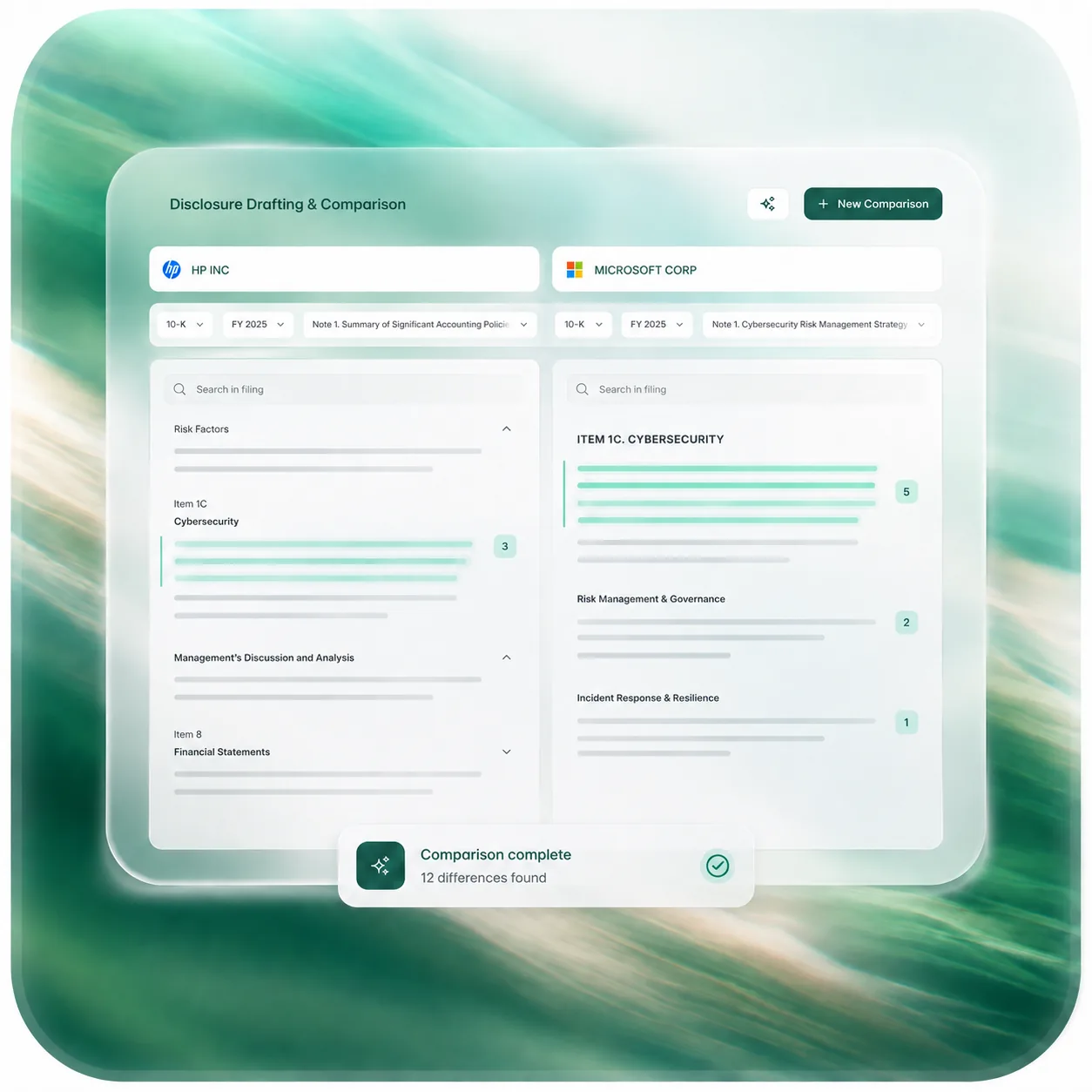
Finrep is an AI research platform built for SEC reporting and technical accounting teams. It searches EDGAR filings, SEC comment letters and accounting standards from one workspace. Each answer links back to the passage it came from.
Teams use it for the research behind a 10-K or 10-Q. That covers peer benchmarking, comment letter checks, accounting questions and first drafts of disclosures and memos. Finrep describes its answers as "a first draft for a professional to review, not a signature."
Key features
- Filing search across EDGAR. Search filings from US domestic and foreign private issuers, from the 10-K and 8-K to the 20-F. S-1s, proxies and exhibits sit in the same index. Boolean keywords, filters and saved searches sit next to plain-English questions. You can also search by ASC topic, ticker or SIC code.
- Peer benchmarking. Peer alignment analysis runs against up to 15 peers at a time. Side-by-side comparison holds up to 10 filings, and grid reports put the excerpt and the source filing in each cell.
- SEC comment letters. Search staff comments and company responses from 2001 onward by topic, industry and registrant. You can see what the staff asked companies like yours before you file.
- Accounting research. Ask questions against US GAAP and IFRS, with new ASUs added as FASB issues them. Finrep can turn the research into a Word memo with the paragraph references attached.
- Drafting from precedent. Roll last period's notes forward into the current draft, or start from peer language. A disclosure checklist maps each requirement to the standard.
- Your own documents. Upload memos, contracts or drafts and research them next to public filings.
- Alerts. Watch standards and filings, and get notified when something changes.
- Works inside Claude and ChatGPT. Teams that work in Claude or ChatGPT can add Finrep as a custom connector. Answers in that chat then link back to the filing on Finrep.
Pros
- One library for three kinds of source. Filings, comment letters and accounting guidance sit together, so one question can draw on all three.
- Citations open the passage. Links land on the paragraph behind each sentence, which shortens the reviewer's check.
- Peer work scales past a handful of companies. Alignment analysis covers 15 peers per run, and the grid exports to Excel with sources intact.
- Comment letters with responses, back to 2001. You read the staff's question and the company's answer in the same thread.
- Domestic and foreign filers in one index. Teams that benchmark against 20-F filers don't need a second tool for their foreign peers.
- Works where your team already works. Grids export to Excel, memos export to Word, and the Claude and ChatGPT connector brings cited filing answers into those chats.
- Public security documentation. Finrep states SOC 2 Type II and ISO 27001 certification and supports SAML and OIDC single sign-on. It also says customer data never trains foundation models.
- Deployment choices. Single-tenant, private cloud and on-premises options suit teams with strict data rules.
- A trial without a sales call. You can test it on your own peer set for 14 days before you talk to anyone.
Cons
- Focused on SEC reporting. Finrep covers SEC filers, domestic and foreign, along with US GAAP and IFRS. Work that sits outside the SEC system, such as local statutory filings, falls outside its focus.
Pricing and access
2. ChatGPT
ChatGPT is OpenAI's AI assistant. It searches the web with citations, runs deep research reports, reads uploaded files and analyzes data in Python. On business plans, it also connects to company document stores such as SharePoint and Google Drive.
ChatGPT has no built-in library of SEC filings, and OpenAI doesn't say whether its search can open sec.gov. For filing research, you upload the filings yourself or point deep research at sites you trust.
Key features
- Web search with citations. Search works on every plan, including Free. OpenAI's help center says results and citations can be incomplete, outdated or incorrect, and it tells users to open the source.
- Deep research. ChatGPT drafts a research plan you can edit before it starts, and you can restrict it to the websites you name. The report comes with citations, a sources list and an activity history, and it exports to Word, PDF or Markdown.
- Large uploads. PDFs, Word files and spreadsheets can run to 512 MB per file, capped at 2 million tokens. Outside Enterprise, ChatGPT reads a PDF's digital text and skips its embedded images.
- Data analysis. ChatGPT writes and runs Python in a notebook to build tables and charts from your files. The code can't reach the web.
- ChatGPT for Excel. An Excel add-in, available across plans from Free to Enterprise, works on the spreadsheet in front of you.
- Projects. A project keeps a peer set's filings together, with up to 25 files on Plus and 40 on Pro, Business and Enterprise. You can share projects with teammates.
- Company connectors. Google Drive, SharePoint, Box, Dropbox and Notion bring internal documents into a chat. OpenAI says it doesn't train on connector data by default.
- ChatGPT Work. An agent for longer, multi-step tasks and finished deliverables, on paid plans except Go.
Pros
- Several research modes in one tool. Search, deep research, file analysis and Python sit in the same chat.
- Deep research shows its work. The editable plan, sources list and activity history let a reviewer retrace the steps. The domain filter keeps it on sites you trust.
- Generous file limits. A 512 MB, 2-million-token cap per file covers the longest 10-K with room to spare.
- Spreadsheet work. Python analysis and the Excel add-in turn filing data into tables you can check.
- Business data terms. Business and Enterprise don't train on your data by default. Both have completed SOC 2 Type 2 audits, and Business includes SAML single sign-on.
- Low entry cost. The free plan includes search, Go costs $8 a month and Plus costs $20.
Cons
- No SEC library, and sec.gov access is undocumented. ChatGPT has no index of filings, comment letters or the FASB Codification. OpenAI's own pages don't say whether search or deep research can open EDGAR.
- OpenAI's own fabrication warning. OpenAI lists "fabricated quotes, studies, citations or references to non-existent sources" among ChatGPT's errors. It advises users to treat ChatGPT "as a first draft, not a final source."
- Text-only PDFs outside Enterprise. OpenAI says ChatGPT may not extract exact values from image-based tables or scanned files. Tax and segment tables are where that hurts.
- Consumer plans train by default. On Free, Go, Plus and Pro, OpenAI may use conversations to improve its models unless the user opts out. A team using personal accounts for draft filings should change that setting first.
- Deep research limits aren't published as numbers. OpenAI says usage varies by plan and points users to an in-product counter, which makes planning a 10-K season hard.
- A product in flux. OpenAI replaced agent mode with ChatGPT Work and plans to retire custom GPTs. Workflows a team builds today may need rebuilding.
Pricing and access
ChatGPT has a free plan. Go costs $8 a month and Plus costs $20 a month, while Pro comes in $100, $200 and $500 tiers.
Business seats cost $25 a month, or $20 on annual billing, with a two-seat minimum. Enterprise and Edu sell by quote.
3. Claude
Claude is Anthropic's AI assistant. It reads long documents, searches the web with citations and, on paid plans, runs multi-step Research. Anthropic also sells a financial services package with connectors to data providers such as S&P Capital IQ, FactSet and PitchBook.
Claude has no built-in library of SEC filings. For filing research, you upload the filings yourself or let web search find them.
Key features
- Web search with citations. Web search is available on every plan, and each web answer includes citations. On Team and Enterprise plans, an Owner has to turn it on for the workspace first.
- Research mode. On paid plans, Research runs a multi-step search and returns a report with citations. It needs web search switched on.
- Large uploads. A chat accepts up to 20 files, and a PDF can run to 1,000 pages. Claude reads PDFs longer than 100 pages as text only, without their visual elements.
- Projects. A Project can hold a peer set's filings. On paid plans, Claude moves to retrieval when the material outgrows its context window. Anthropic says that expands capacity up to 10 times.
- Files and Excel. Claude creates Excel, Word, PowerPoint and PDF files on every plan. Claude for Excel, on Pro and above, answers questions about a workbook with cell-level citations.
- Financial data connectors. Claude for Financial Services connects to LSEG, FactSet, S&P Global (Capital IQ), Morningstar, PitchBook, Moody's and Daloopa, among others. Many of these need a separate subscription with the data provider.
- Custom connectors. Teams can add remote MCP connectors to bring specialist sources into a chat.
Pros
- Long documents and large peer sets. Projects hold many filings, and retrieval takes over when they outgrow the context window.
- Cited web research. Web answers carry citations, and Research returns a cited report.
- Output in the formats reviewers use. Claude builds Excel and Word files from the analysis, and Claude for Excel cites cells for tie-outs.
- Clear commercial data terms. Anthropic doesn't train on inputs or outputs from Team and Enterprise plans by default. It lists SOC 2 Type II, ISO 27001 and ISO 42001 certifications.
- Low entry cost. The free plan includes web search, and Pro costs $20 a month.
Cons
- No SEC library. Claude has no built-in index of filings, comment letters or the FASB Codification. Anthropic offers no EDGAR connector of its own, so an answer is only as good as the documents you supply.
- Long PDFs lose their layout. Tax and segment tables in a 10-K arrive as extracted text, so a figure can slip into the wrong column without warning.
- Usage caps. Paid plans have a session limit that resets every five hours and a weekly limit. Research uses them faster, which bites in 10-K season.
- Consumer accounts need a settings check. On Free, Pro and Max, Anthropic trains on chats when the training setting is on. A team using personal accounts for draft filings should check it before uploading anything.
- Anthropic's own accuracy warning. Anthropic says Claude can display quotes that look authoritative but aren't grounded in fact. Each quote needs a filing check.
- Gaps in the Excel add-in's controls. Claude for Excel doesn't inherit custom data retention settings, and its activity doesn't appear in Enterprise audit logs.
Pricing and access
Claude has a free plan. Pro costs $20 a month, or $17 a month on annual billing, and Max starts at $100 a month.
Team seats cost $25 a month, or $20 on annual billing. Enterprise costs $20 per seat a month on annual billing, plus usage at API rates.
4. Intelligize+ AI
Intelligize is an SEC research platform owned by LexisNexis. Intelligize+ AI adds Protégé, a conversational assistant that answers from SEC filings content Intelligize curates.
The platform sells to public companies, law firms and accounting firms. Boolean and conceptual search remain available next to the AI.
Key features
- Protégé conversational research. Questions build on each other across turns. You can change the scope, timeframe or peer set without starting over.
- Peer comparisons across up to 20 filings. Protégé benchmarks disclosures across up to 20 SEC filings at once and returns tables and summaries.
- Visible search logic. Each response ties to the underlying filings, and users can see the Boolean and conceptual search behind it.
- Wide form coverage. Reports in the library include the 10-K, 10-Q, 8-K, 20-F, 40-F and 6-K. It also holds S-1, S-3, F-1 and F-3 registrations, proxy statements and exhibits.
- Comment letters and no-action letters. Comment letters come with linked responses, so you can see how companies revised filings after a comment. The library also holds no-action letters and enforcement releases.
- Accounting library and analytics. The library holds the Codification, ASUs and proposed ASUs, plus firm guidance you can filter by firm. Analytics cover non-GAAP items, critical audit matters, Form AP and audit fees.
- Benchmarking matrices and redlines. Section matrices compare MD&A, notes, risk factors and business sections across peers. Redlines show year-over-year changes.
- Exports, API and drafting. Protégé output downloads as PDF or Word, and an API feeds Intelligize data into internal portals. Intelligize's AI page now also describes AI-assisted first drafts.
Pros
- Depth of content. Comment letters with linked responses, no-action letters, exhibits, deal documents and accounting guidance sit under one subscription.
- Foreign private issuer coverage. The form list includes the 20-F, 40-F and 6-K and the F-series registrations.
- Auditable answers. Visible search logic shows a reviewer how Protégé built each answer.
- Classic search stays. Boolean and conceptual search remain available for researchers who want exact control.
- Word and PDF exports. Findings move into review memos without retyping.
- Human backup. An Intelligize research team supports customers with hands-on help.
Cons
- A 20-filing ceiling per AI comparison. A full-sector sweep of a 40-company peer group needs at least two passes, and you'll stitch the tables together yourself.
- The AI upgrade centered on filings. The March 2026 release scoped the conversational upgrade to SEC filings. Intelligize's public pages don't say whether Protégé reasons over comment letters or deal data. That work may still run through classic search.
- Citation depth isn't documented. Answers link to the filings behind them. Intelligize's public pages don't say whether a link lands on the passage or on the whole document.
- No coverage years on current pages. The live site doesn't state how far back the filing library goes. The only stated years appear in a 2022 product sheet.
- Quote-only pricing. Rates aren't public, and trials and demos run through request forms.
- Security statements cover LexisNexis as a whole. The no-training commitment comes from LexisNexis, and its Trust Center certification list doesn't name Intelligize. Ask for documentation specific to the product you're buying.
Pricing and access
Intelligize sells by subscription and doesn't publish prices. Free trials and demos are available through request forms on its site.
5. Workiva SEC Filing Intelligence
Workiva is a reporting platform that companies use to prepare and file more than 350 SEC form types. It links data from source systems into the document, handles XBRL tagging and files to EDGAR.
SEC Filing Intelligence is part of Workiva's Intelligent Finance features. Workiva AI answers questions about the SEC filings you select, filtered by keyword, peers and date range. Through 2026, Workiva has added a line of AI agents for benchmarking, tie-outs and XBRL validation.
Key features
- SEC Filing Intelligence. Ask questions about selected filings. Filters cover keyword, peers or a saved company group and a date range down to one quarter. The feature needs the Workiva AI user role and a workspace on SEC Advanced, A&I Advanced, Investments or Funds.
- 10-K and 10-Q content, refreshed daily. The usage guide lists 10-K and 10-Q filings as available, with more types to come. In a November 2025 webinar, Workiva said it updates the SEC knowledge base daily.
- Benchmarking Agent. Analyzes peer data from 10-Ks and 10-Qs filed with the SEC, and its findings cite the peer's filing and disclosure. Early access began on July 2, 2026. After that, the agent needs the Advanced tier.
- Intelligent Companion. A chat assistant that follows you across files and screens and keeps the conversation's context. Workiva includes it with every plan, and its answers carry inline citation markers.
- Tie-out and XBRL help. The Tie-out Assistant, in early access, flags related figures that don't match across a 10-K or 10-Q. The Validation Agent explains XBRL errors in plain English for US GAAP filings.
- 8-K drafting agent. In a preview that runs through December 2026, an agent rolls forward a prior 8-K. It gathers the requirements and drafts the disclosure narrative.
- The platform underneath. More than 70 data connectors, an Excel add-in, blacklines, version control and EDGAR Next filing sit in the same workspace.
Pros
- Research where you build the filing. Peer answers sit in the same workspace as your draft, with no export and re-import step.
- Unlimited seats. Workiva says all its offerings come with unlimited users, so access isn't rationed by seat.
- AI included for now. Workiva's 2025 annual report says it provides AI capabilities at no extra cost, though advanced agents sit in advanced tiers.
- Strong data terms. Workiva's AI terms say customer data, inputs and outputs won't train the underlying models. It holds ISO 27001:2022 certification and FedRAMP Moderate authorization.
- Audit trail for AI use. The activity log records each AI interaction, the user and the model provider.
- A growing set of agents. Tie-outs, XBRL validation and 8-K drafting run on the same platform as the research features.
Cons
- 10-K and 10-Q only. In November 2025, Workiva said it planned to add 8-Ks, proxies, S-1s and comment letters. We found no source saying they've shipped, so questions about those filings need a second tool.
- No guidance library or web search. Workiva says its AI has no internet search "at this time." It also tells users not to rely on the AI for current laws, regulations and accounting guidance.
- Citations are still coarse. Workiva lists citations that point to the exact span of text as a coming feature. Today's markers point to the source as a whole.
- Many filings at once can skew answers. Workiva's help center warns about prompts that hold several SEC filings: "the model may not weigh each document equally." That hits wide peer comparisons hardest.
- Gated by tier and role. SEC Filing Intelligence needs specific solutions and a user role. The Benchmarking Agent moves to the Advanced tier after early access, and several agents are still in preview.
- Fixed AI terms. Workiva says its AI Terms of Use "cannot be customized and are non-negotiable." Legal teams that negotiate data terms should read them early.
Pricing and access
Workiva sells by quote, with good, better and best packages for some solutions and unlimited seats. It doesn't publish prices, and its newer agents sit in advanced tiers.
6. DFIN Active Intelligence
DFIN (Donnelley Financial Solutions) is an SEC filing agent and the maker of ActiveDisclosure, its SEC reporting software. Active Intelligence is DFIN's AI layer. Inside ActiveDisclosure, it adds AI Peer Analysis and AI Historical Analysis.
DFIN introduced Active Intelligence to select clients in late 2025. On its May 2026 earnings call, DFIN said the features became available to all ActiveDisclosure clients that April.
Key features
- AI Peer Analysis. Compares your draft filing to peer disclosures across equivalent SEC sections and surfaces differences and trends. You define the peers, filings and periods.
- Organized the way reviewers read. DFIN grounds the analysis in Parts, Items and Notes. DFIN says it sees past formatting differences between filings.
- AI Historical Analysis. Compares current filings with prior-period disclosures and flags changes in language, structure and reporting practice.
- Form scope. DFIN describes the AI as speeding up work on 10-Qs, 10-Ks, proxy statements and IPO filings.
- A full drafting platform underneath. ActiveDisclosure links Excel data into the document, tracks edits and handles XBRL tagging. DFIN's experts can also tag and file as your filing agent.
- AI tagging in pilot. DFIN is piloting AI iXBRL tagging for fund reports in Arc Suite, and it has said ActiveDisclosure comes next.
Pros
- Works on your draft. Findings sit next to the text you're about to edit, inside the document.
- Peer and prior-period checks in one place. Both comparisons run from the same platform.
- Built around SEC structure. Analysis follows Items and Notes, the way a reviewer reads a filing.
- One vendor from draft to EDGAR. DFIN handles XBRL, EDGAR submission and filing agent services.
- Contractual data terms. DFIN says it never uses client data to train third-party models and keeps data in its private cloud. It shares a SOC 2 Type II report under NDA.
- Opt-in AI. Teams choose whether to use the AI features.
Cons
- Only inside ActiveDisclosure. Peer Analysis lives within the platform, and DFIN offers no standalone research product. Teams on Workiva or Word get nothing from it.
- No documented citation trail. DFIN's public material doesn't describe links from a finding to the source passage in a peer filing.
- Peer data source not stated. DFIN doesn't say where peer filings come from or how soon new ones appear.
- No comment letter or guidance research. DFIN documents neither comment letter research nor accounting guidance research in Active Intelligence. That work happens in another tool.
- Mixed messages on drafting. The ActiveDisclosure page says the AI can generate first-pass drafts. A DFIN blog from February 2026 says the AI focuses on insight over content generation.
- AI pricing isn't public. ActiveDisclosure sells by quote, and DFIN doesn't say whether Active Intelligence costs extra.
Pricing and access
DFIN sells ActiveDisclosure by quote and offers demos. It doesn't publish prices or say whether the AI features cost extra.
Feature comparison
The table compares what each vendor documents in public. "Not documented" means we couldn't find the feature in the vendor's public material, which doesn't prove the feature is missing.
| Capability | Finrep | ChatGPT | Claude | Intelligize+ AI | Workiva | DFIN |
|---|---|---|---|---|---|---|
| Built-in SEC filing library | Domestic and foreign issuer filings, including the 20-F | ✕ No | ✕ No | ✓ Yes, including the 20-F, 40-F and 6-K | 10-K and 10-Q | Peer filings, source not stated |
| SEC comment letters | From 2001, with company responses | Through web search | Through web search | ✓ Yes, with linked responses | Planned in 2025, not documented as shipped | Not documented |
| Accounting guidance library | US GAAP and IFRS | ✕ No | ✕ No | Codification, ASUs and firm guidance | ✕ No | Not documented |
| Citations | Passage level | Links to web sources | Links to web sources | Linked to filings, depth not documented | Inline markers, exact-span links planned | Not documented |
| Peer comparison | 15 peers per run, 10 filings side by side | Files you upload | Files you upload | Up to 20 filings per pass | Peers or saved company groups | Peer sets you define |
| Drafting help | Memos and disclosures from precedent | General drafting | General drafting | AI first drafts | 8-K agent in preview | Claimed on the product page |
| Exports | Word and Excel | Word, PDF and Markdown reports, plus files from Python | Word, Excel, PowerPoint and PDF | PDF, Word and an API | Inside the Workiva document | Word, PDF and HTML from the platform |
| Runs inside a filing platform | ✕ No | ✕ No | ✕ No | ✕ No | ✓ Yes | ✓ Yes |
| Public prices | ✕ No | ✓ Yes | ✓ Yes | ✕ No | ✕ No | ✕ No |
| Free way to try it | 14-day trial | Free plan | Free plan | Trial by request | Not documented | Demo |
Data handling at a glance
An unfiled draft can contain material nonpublic information, so data terms belong in the first vendor call. Several vendors set different defaults for consumer and business plans. Read the terms for the plan you'll buy.
| Tool | Training on your data | Certifications and reports | Other controls |
|---|---|---|---|
| Finrep | Never used to train foundation models | SOC 2 Type II, ISO 27001 | SAML and OIDC single sign-on, private cloud and on-premises options |
| ChatGPT | Off by default on Business and Enterprise, on by default for consumer plans with an opt-out | SOC 2 Type 2 audits for Business and Enterprise | SAML single sign-on on Business, SCIM and key management on Enterprise |
| Claude | Off by default on Team and Enterprise, a user setting on Free, Pro and Max | SOC 2 Type II, ISO 27001, ISO 42001 | Single sign-on on Team, audit logs on Enterprise |
| Intelligize+ AI | LexisNexis says it never trains AI models on customer data | The LexisNexis Trust Center list doesn't name Intelligize | Intelligize says its AI runs in a private hosted environment |
| Workiva | Contract says customer data, inputs and outputs won't train the models | ISO 27001:2022, FedRAMP Moderate | AI activity log, your own encryption keys for chat history |
| DFIN | Contract bars training third-party models on client data | SOC 2 Type II report under NDA | Data stays in DFIN's private cloud, AI is opt-in |
Before an AI answer reaches your filing
Run these checks on each answer that feeds a disclosure, whatever tool produced it. They take a few minutes and catch most of the errors that matter.
2. Match the company, form and period to your question.
3. Find the quoted words in the section the answer names.
4. Read the paragraphs around the quote for qualifiers.
5. Ask what the answer left out, such as a peer, a period or a disclosure that points the other way.
Our guide to comparing AI tools for SEC reporting walks through each check with an example of an answer that fails.
How we put this guide together
We reviewed each vendor's public product pages, help documentation, release notes and filings on October 14, 2026. We didn't run a shared hands-on test across the six tools, so no entry claims measured accuracy or speed.
Finrep publishes this guide and builds one of the tools in it. The list order isn't a ranking, and each entry follows the same template. To run a comparison of your own, use our guide on how to compare AI tools for SEC reporting teams.
Common questions
What is the best AI tool for SEC filing research?
The answer depends on the job. For research that spans filings, comment letters and accounting guidance, Finrep and Intelligize hold their own SEC libraries. Workiva and DFIN add AI checks inside the filing platform, and ChatGPT and Claude work best on documents you supply.
Can ChatGPT or Claude read a 10-K without mistakes?
Both can read an uploaded 10-K and answer questions about it. Neither has a built-in SEC library, and both vendors warn that answers can include errors or made-up citations.
ChatGPT reads PDFs as extracted text outside Enterprise, and Claude does the same for PDFs over 100 pages. Check each table against the filing.
Is EDGAR full-text search enough?
The SEC's free full-text search covers EDGAR filings submitted since 2001, exhibits included. It's the right tool for finding an exact phrase. It doesn't summarize, compare or cite, so turning its results into a peer table is manual work.
Which tools include SEC comment letters?
Finrep indexes staff comments and company responses from 2001, and Intelligize holds comment letters with linked responses. ChatGPT and Claude can find letters through web search. Workiva listed comment letters as a 2025 plan, and DFIN doesn't document them.
SEC staff release letters and responses on EDGAR at least 20 business days after a review ends. Any tool's comment letter view lags the review by at least that long.
Is it safe to upload draft filings to an AI tool?
That depends on the plan and the contract. Confirm in writing that the vendor and its model providers won't train on your content.
Then confirm how long they keep it and who can access it. The data table above shows each vendor's public position.
Do these tools cover foreign private issuers?
Finrep and Intelligize both cover foreign private issuer filings such as the 20-F. Workiva's feature covers 10-Ks and 10-Qs, and DFIN names 10-K, 10-Q, proxy and IPO work.
Will AI replace the technical accounting team?
The vendors' own words say no. Finrep calls its answers a first draft for a professional to review. DFIN says its AI doesn't replace human judgment, and Workiva's terms require a person to review AI output.
How much do AI SEC research tools cost?
ChatGPT has a free plan, with Go at $8 and Plus at $20 a month. Claude Pro also costs $20 a month.
SEC research platforms and filing platforms sell by quote. Finrep offers a 14-day free trial, and Intelligize offers a trial by request. Workiva includes its current AI features at no extra cost, with advanced agents in higher tiers.
Before you sign a contract, run a footnote from your current filing through the tool and check each citation by hand.